Post 01
Your Best AI Workflows Are Trapped in One Repo
How I built a central skill repo and installer so every project at my workplace could reuse our best Claude Code workflows, without being forced into one way of working.
26 August 202611 min read
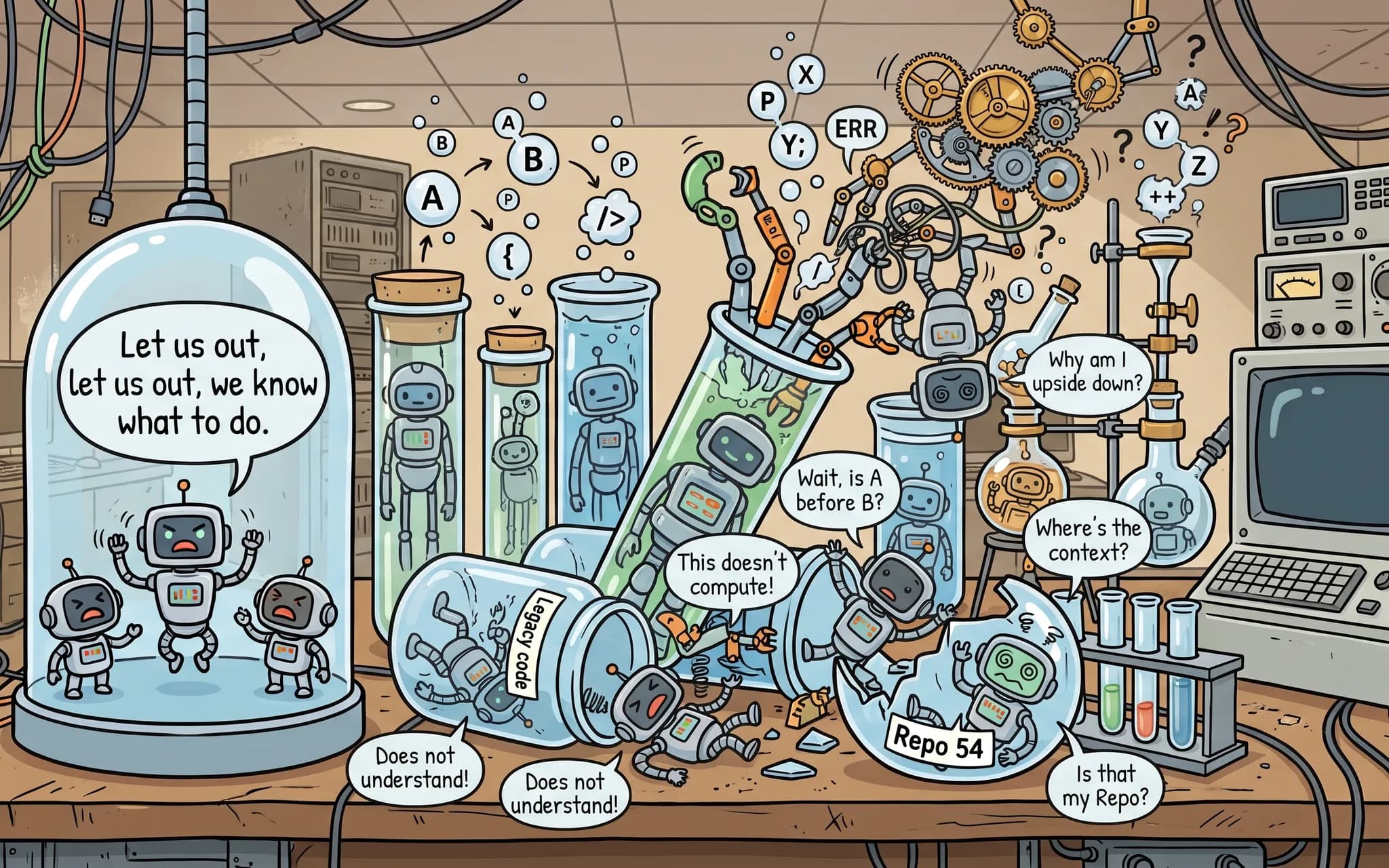 Fig. 1
Every technical consultancy embracing AI is running into the same problem: the right lessons are being learned, but they aren't being shared between projects. A year ago, nobody noticed. Now clients are demanding more AI maturity, competency and defined processes. The consultancy I work at has 15-plus projects at any one time with at least 50 repos. Every project, and often every repo within it, has different conventions and people with different ways of working. I built a solution to standardise the good stuff without dictating one rigid workflow.
The win I'm after is specific: automate the routine workflows that only need a low level of decision-making, like raising a PR, opening a Jira ticket, merging a branch to staging. If it's essentially boilerplate, I want AI handling it as a quick win, so people's time goes on the decisions that actually need a human.
Ten Months of Trial and Error
For the last 10 months, I've been working on a project with a very tight turnaround time. This has necessitated heavy AI use and optimisation to improve our workflows wherever possible. We have been aggressively trying to save time on any work suitable for AI enhancement. We have made many mistakes along the way. At the start, we each made our own ad hoc skills (a skill, in Claude Code terms, is a reusable file of instructions and context that Claude loads for a specific task) and (surprise surprise) we all ended up with inconsistent patterns of AI use.
Eventually we settled on a set of workflows that consistently worked and standardised how we worked. One example: Jira tickets raised by Claude followed the same conventions and structure after we introduced a shared skill. The skill set hard requirements about ticket length to combat slop, listed the required fields and gave a couple of great examples picked from the last 100 tickets on our board. This extra context was needed because AI models don't know our implicit expectations about what makes a good Jira ticket. I believed these could be ported to any project across the business, saving people the time and mistakes we'd already made.
A Central Skill Repo, Not a Dumping Ground
The solution I decided to build was a shared and centralised skill repo. All the lessons we learned were added to a central catalogue. Importantly, this is not just a dumping ground of various AI artefacts, but also an automated AI skill installer. The purpose of this is to let users get up to speed within minutes while still having an installation tailored to their specific project. Reusing the bits that suit them, discarding the rest. Effort was put into ensuring skills and their configuration are customisable because each project is unique, and a generic set of skills would arguably be less useful than manual prompting.
Why Not the Existing Plugin System?
Why didn't I reuse the existing Claude plugin system or npx skill installers? To their credit, they do some of the same things as were built here, such as updates from a central repository. The main difference is that we wanted the installer to do more heavy lifting, especially for people who haven't used AI before, guiding the user to make decisions rather than acting as just a package installer. We also wanted skills to define the preconditions and necessary tooling environment for their correct use; for example, a CLI that needs to be installed before the skill can be used. Finally, the setup had to be as customisable as possible, including the ability for Claude Code to suggest conflict resolution in the case a skill was manually modified.
Installed in Minutes, Never Left to Go Stale
When a user runs the one-liner install command, a shallow clone is made to a temporary directory, and then Claude Code is invoked with the -p argument with a pre-made curated skill. The skill first analyses the user's current working directory and project, seeing if they've got any skills already installed, and then, based on the project, suggests what skills it thinks would be good for their use case. For example, if they've already got a skill to open a PR, the installer will suggest they don't install that from the central repo, prioritising their existing process. The user makes their choice, only installing what they actually want to. Importantly, the installer also ships an updates skill. The user can invoke it in the future and pull new updates from the central repo. Their skills are never meant to die and go stale.
one-liner-install.sh
TMP=$(mktemp -d) && git clone -q --depth 1 --filter=blob:none --sparse https://github.com/<org>/<ai-repo>.git "$TMP" && git -C "$TMP" sparse-checkout set --no-cone /tooling/skills/bootstrap/install.sh && sh "$TMP/tooling/skills/bootstrap/install.sh";"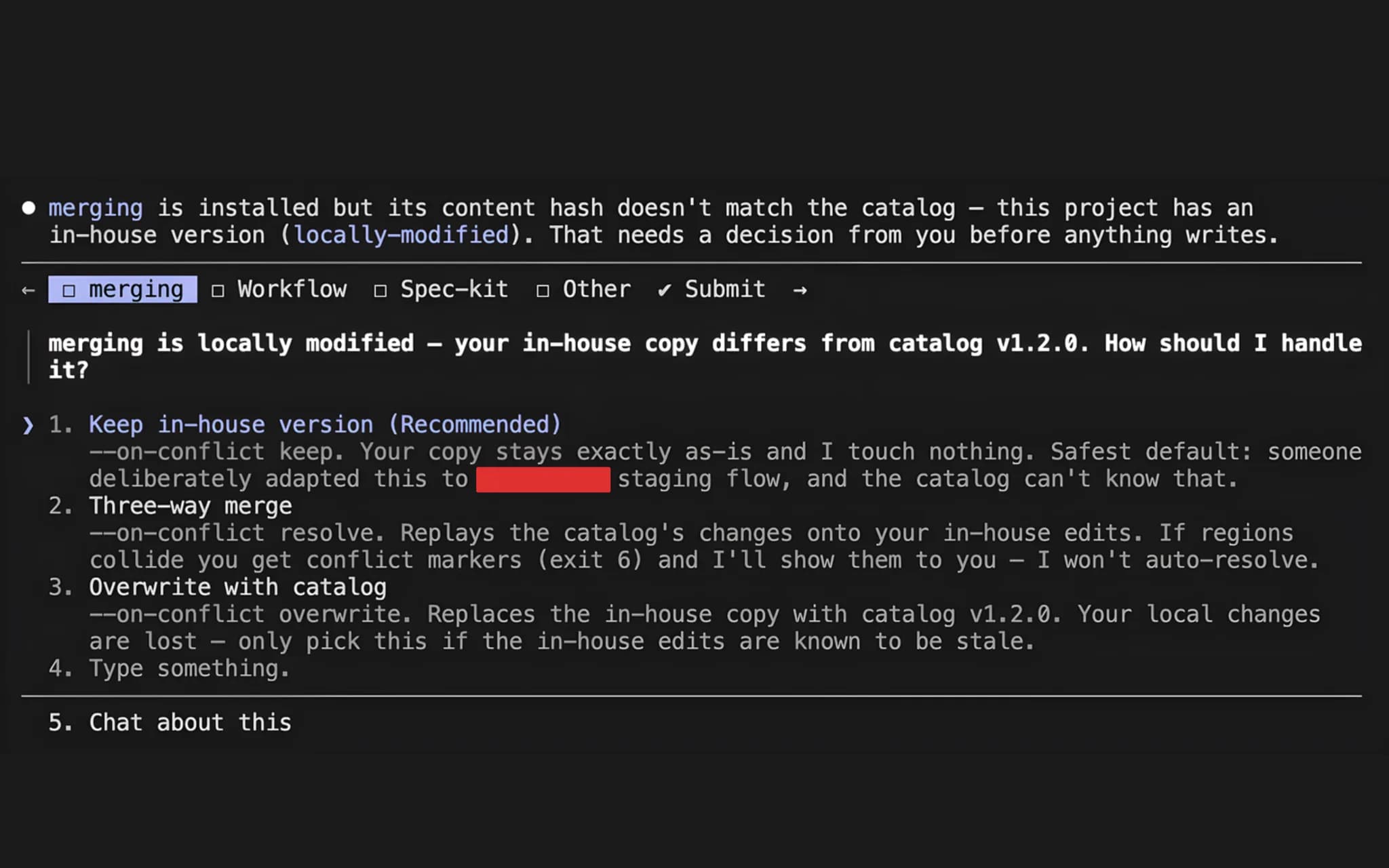 Fig. 3
The Meta File Knows What You've Changed
Skill versions are managed using a metadata file. This is a hash of the currently installed assets and their version number. When updating, the installer can compare the current hash on disk against that in the meta file, indicating if the user has manually modified the skill. If they haven't modified it, the new skill is installed automatically. However, if they have, Claude can then use its decision-making abilities to suggest how to resolve the conflict.
.skill
name=jira-ticketversion=1.0.1installed_hash=c37a1014818b4e55e7653246e7c4f7f46742ca2e862ae73617eb03dafd804961source_repo=https://github.com/<org>/<repo>.gitsource_ref=mainassets=jira-ticketinstalled_at=2026-08-11T11:58:17ZClaude for Judgement, a CLI for the Routine
Claude manages the installation process end to end but delegates predictable mechanical steps to a deterministic internal CLI so Claude does not have to figure out routine steps. For example, installing, updating, or deleting an existing skill with no conflicts. It only uses Claude Code when it's needed most, for example, figuring out a messy conflict in a local skill that's being updated.
The installer can identify these prerequisites as part of the installation and verify that they are either already met or, if they're not, advise the user on how to set them up. For example, our Jira skill requires the Jira CLI to be installed and authenticated. Skills can also declare their own follow-up steps for after the installation. All this information is contained within a skill.meta file installed alongside the skill in the catalogue.
skill.meta
name=jira-ticketversion=1.1.0description=Create and manage Jira tickets (bugs/tasks) via acli, linking to the configured epic and active sprint. Use when: creating a Jira ticket, raising a bug, logging a task, or moving an issue to a sprint.argument_hint=Optional: the issue type and summary, e.g. "Bug login button does nothing"requires=next_step=acli jira auth|Authenticate the Atlassian CLI and export JIRA_EMAIL in your shell profile, with the API token in the OS keychain. Every action this skill takes goes through `acli`, and credentials deliberately live outside the committed config. Setup notes are in the header of jira-sprint.sh.|`acli jira auth status` fails, or JIRA_EMAIL is unsetnext_step=Set jira_board_id and jira_epic_key|Without a board id the skill cannot find the active sprint, and without an epic key new tickets are created unparented. Both are blank by default because no cross-repo value is sensible — the skill skips those steps rather than guessing.|`skills.sh config show` reports jira_board_id or jira_epic_key as SOURCE=defaultThe installer was originally written mostly as a bash CLI, though as time progressed, I rewrote large parts of it in TypeScript/Node for a few reasons. First, it made it easier to unit test. Secondly, coding agents excel at TypeScript. Finally, Node.js is also well used at our company. I developed a testing suite around the critical parts of the installer (mainly the internal CLI).
Extension Files Let Every Team Do It Their Way
A key part of the architecture is composability. Standards vary between different projects, even within our organisation. Take creating Jira tickets: every team does it differently. A default set of requirements for creating tickets ships with the skill. However, the skill also makes reference to and installs a placeholder custom steps file. The user is then encouraged, after the installation, to go ahead and modify this file with their custom requirements and per-project and repo conventions. For example, a team could specify an additional field that needs to be added to all Jira tickets. It's worth emphasising that users are not discouraged from modifying the existing skills, though they are encouraged to use these extension files to reduce the number of merge conflicts during updates.
jira-ticket-context.md
# Jira Ticket Context## Custom instructions### Standard acceptance criteriaEvery Bug and Task raised in this project must include the following quality baseline in its CoS:* Unit tests written and passing with **at least 85% code coverage**.* Documentation updated for any user-facing or API changes.### Required labelsEvery ticket **must** carry at least **one** of the following project labels upon creation:* `core-services`* `ui-components`* `data-pipeline`Opt-In, Never Imposed
A key part of the philosophy of the whole system is making sure everything is opt-in, never imposed. Everyone works differently and has different workflows, so imposing a top-down approach on how to do things would be akin to micromanagement. Some additions to the repo, such as spec-driven development, are a big change in how a team works. However, most don't require buy-in from the whole team and can be adopted independently.
Innersource: Anyone Can Contribute a Workflow
The whole initiative has been framed upon an innersource model (open-source-style contribution, but internal to the company), encouraging individual contributions and feedback. People are encouraged to make PRs to the central repo of any new workflows they've created and believe other people could benefit from on their projects.
Wrapper Repos: Skills for Whole Projects, Not Single Repos
Any project with the goal of accelerating and enabling AI adoption across the whole organisation would have to change direction along the way. One piece of consistent feedback I received is that people wanted to use the skills across whole projects rather than just one repo. The original design relied on a skill being installed in a specific repo. A common workflow I saw, and quickly adapted the project to, was people opening Claude Code in a parent folder with all the project's repos underneath it. This let Claude understand a holistic picture of the whole project and make changes across several different repos at once. What I advised as a solution was to set up wrapper repos.
What is a wrapper repo? A wrapper repo is committed to Git like any other, has project-shared skills such as how to open a Jira ticket, and has in its gitignore file all the subrepos underneath it and a script to clone/install them all. Repo-specific skills such as a front-end design skill are still scoped to the relevant repo. In my opinion, it's critical that this wrapper repo is still committed so it can be reviewed, critiqued, and improved over time, and everyone runs on the same set of standards.
One thing we've had a lot of requests for is the ability to run a skill inside regular Claude, e.g. not Claude Code. Currently, this isn't something we can do easily, though I am thinking about potential solutions. For now, the recommendation is to just run Claude Code in the wrapper repo as if it's normal Claude.
Governance: Warnings Don't Work, Speed Bumps Do
This is the area of the system with the most room to improve, and one I am eagerly working on. The skills do have a lot of clearly defined warnings. For example, "do not merge this directly to main". However, these are inherently limited as AI is non-deterministic. What I have found does work is increasing the amount of deterministic tooling. This includes stricter lint checks, code quality checks e.g. Sonarlint/Qlty, commit-time validation checks, etc. These checks act as a speed bump, stopping an AI agent from doing something you potentially don't want it to. We have tried to apply these equally to AI and human authors of commits. However, this caused a lot of frustration (and the use of --no-verify), so we have scaled it back for human devs.
I did not implement a more standardised method of governance. This is because we haven't yet discussed governance as a company, and governance of AI is a broader-reaching decision beyond me that requires broader buy-in. One potential solution I have proposed, and hope we implement soon, is building a unified MCP gateway. This would let us manage AI access on a per-user and per-individual-agent basis centrally and audit what data AI has access to. However, the scope of this is beyond this article.
I'm also currently experimenting with adding AI skill validation and testing to the skills themselves, as they are the most important part of the whole system.
Two Projects In, More to Come
The tooling has already been adopted across two projects at our company. An early starting point was the main project I mentioned previously in this article, which I've worked on for the last 10 months. The second was an adjacent project I had previously worked on. We also recently held an internal AI hackathon where lots of teams were able to quickly install the necessary skills in a matter of minutes.
The initiative is definitely still a work in progress, and I have plans to take it forward. One idea I really want to implement is getting the MCP gateway architecture up and running once I've got everyone on board with it, and then gradually updating the skills to use it. This way, we get a nice form of centralised governance, and it also means we can safely add new data sources, such as ways to debug with live AWS environments and the like. I also want to complete the skill evaluation framework because I think that's a key part of the long-term success of any AI skills. Finally, I want to onboard some more projects internally to get further feedback and make further improvements.
If there's one lesson I'd pass on so far, it's that opt-in beats imposed. People adopted the shared skills because they could pick what fitted their project and change what didn't, and everything else in the system exists to make that easy.
— Harry